Handover
A phone-first ward job list that hands the whole thing over in one scan. Add jobs by ward and bed as you go, then pass jobs and ward layouts to the next shift by QR code. Nothing retyped, nothing lost. Out now, free on the App Store.
The ward job list usually lives on a folded sheet of paper that gets lost, rewritten at every handover, and can't remind you of anything. I wanted the list to carry itself to the next shift instead.
What it is
Handover is a phone-first shift job list for ward clinicians: chase these bloods, consent that patient, review a CTG at 10:00. It does what the folded sheet of paper does, but better, and it hands the list to the next person in a single scan.
It's out. Version 1.0 landed on the App Store on 18 September 2026, free, where it's listed as Handover List. Everything below is what actually shipped, not what I'm planning.
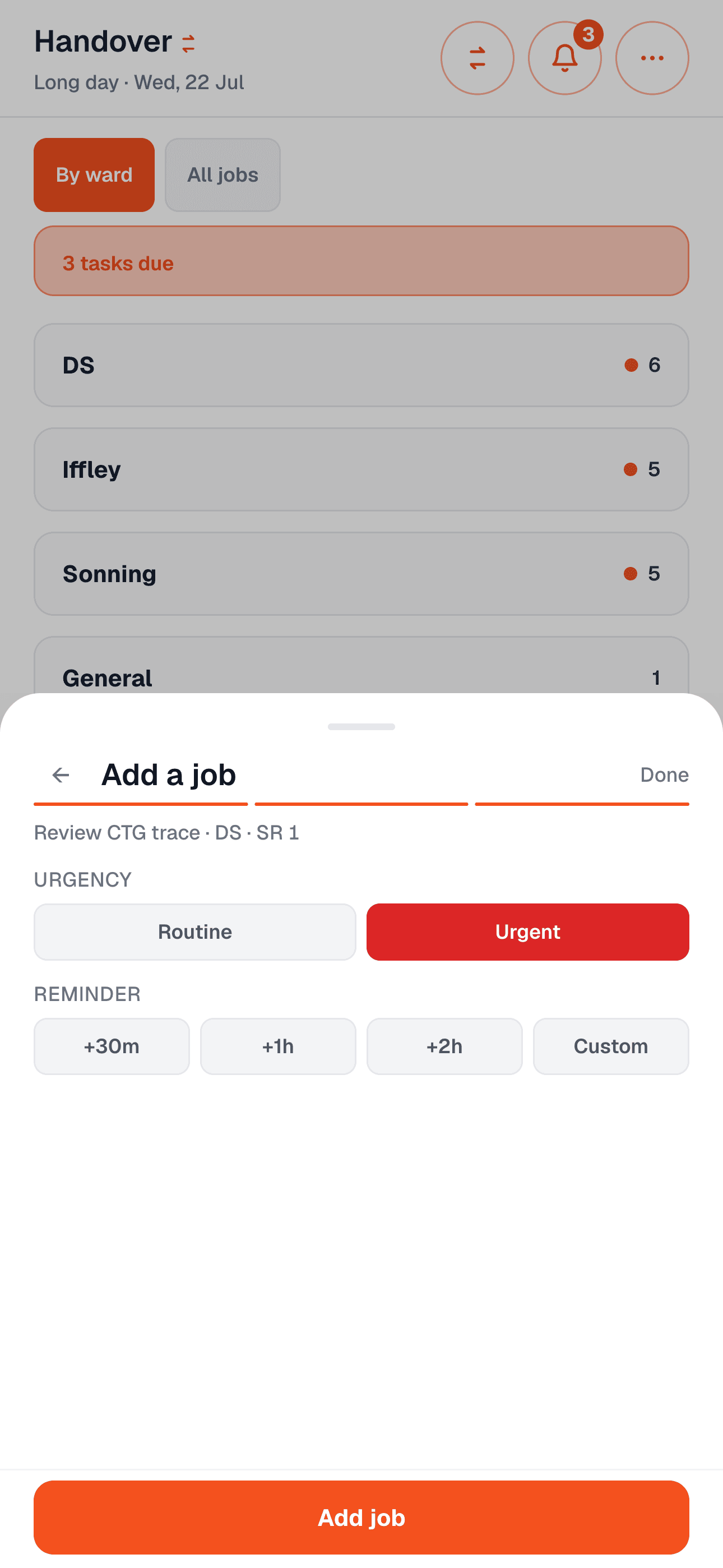
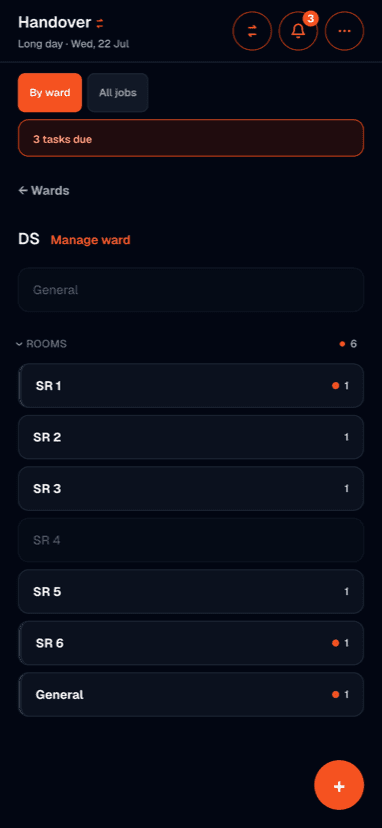
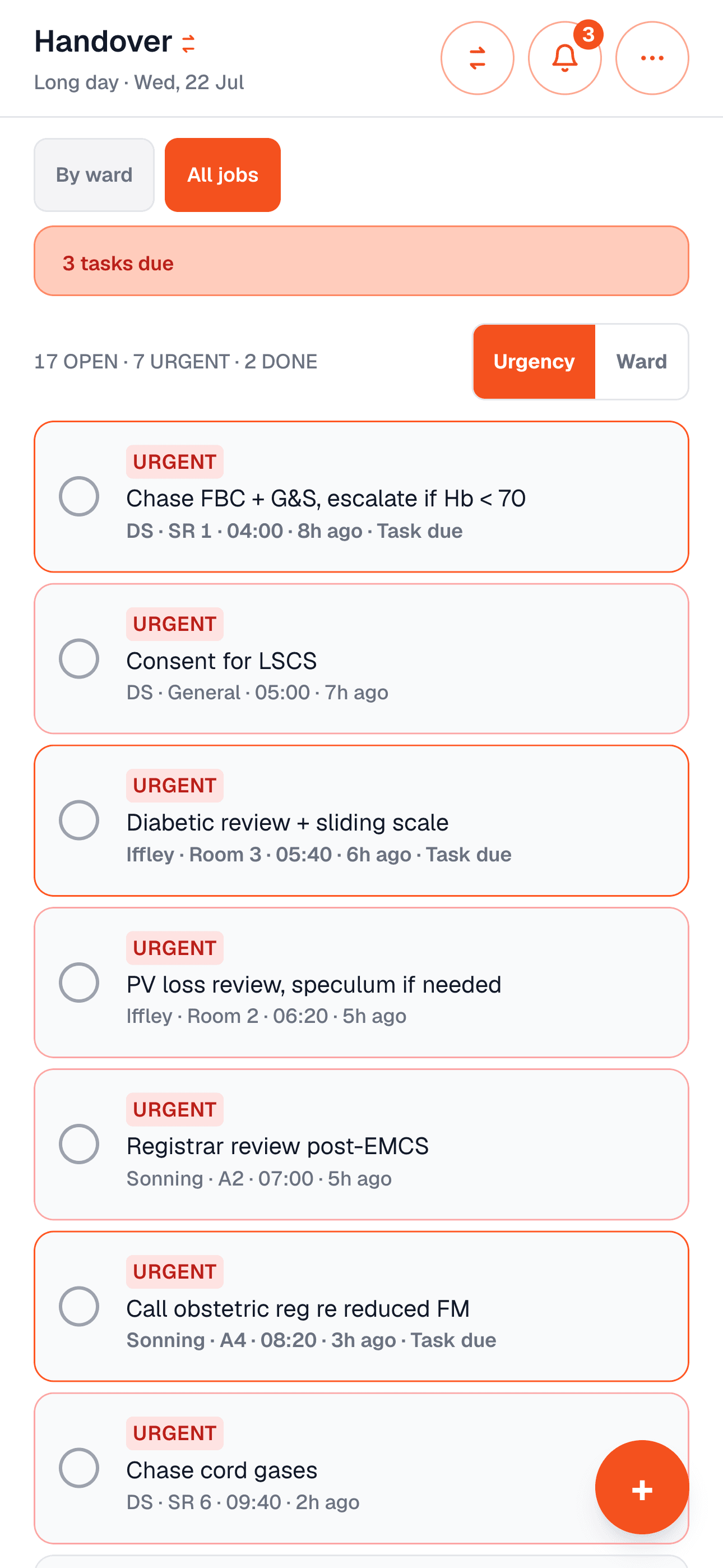
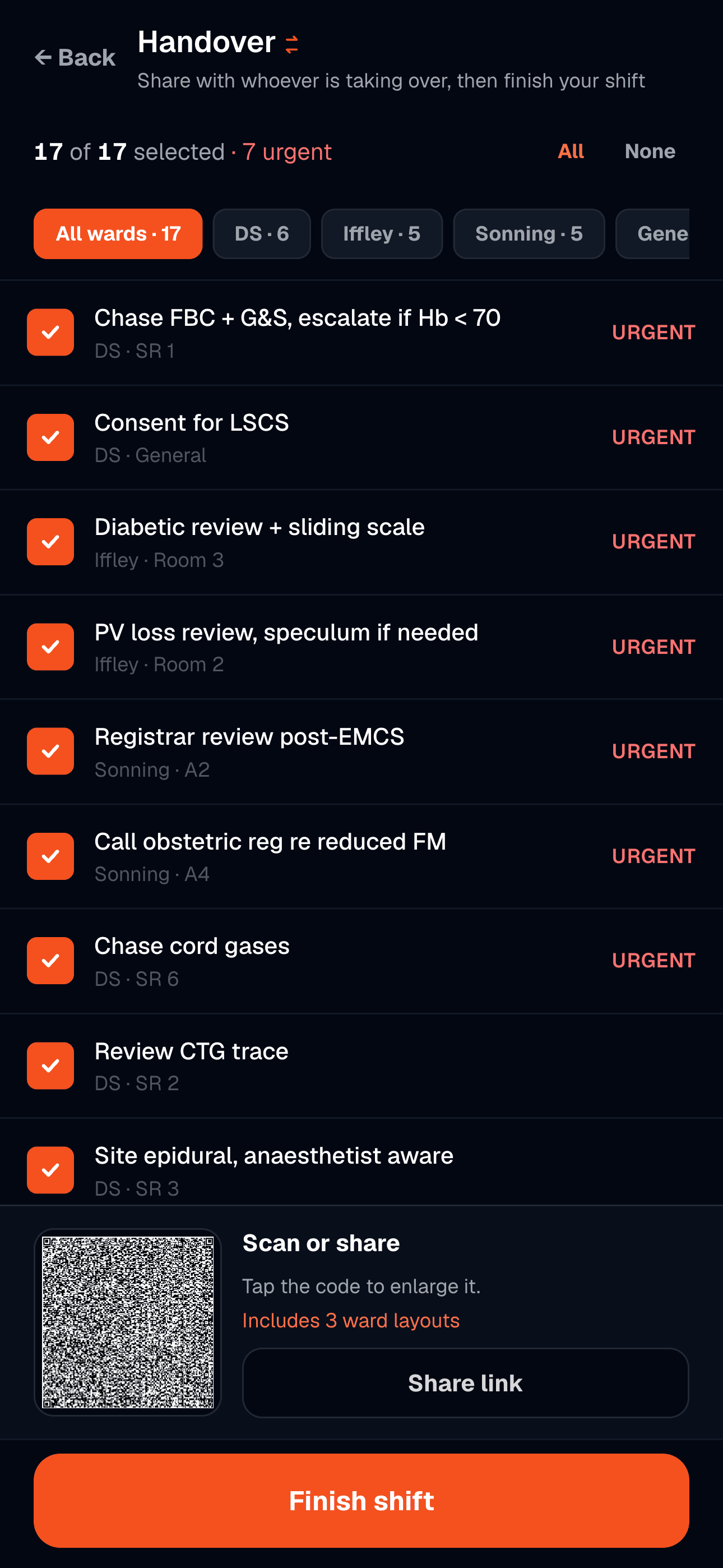
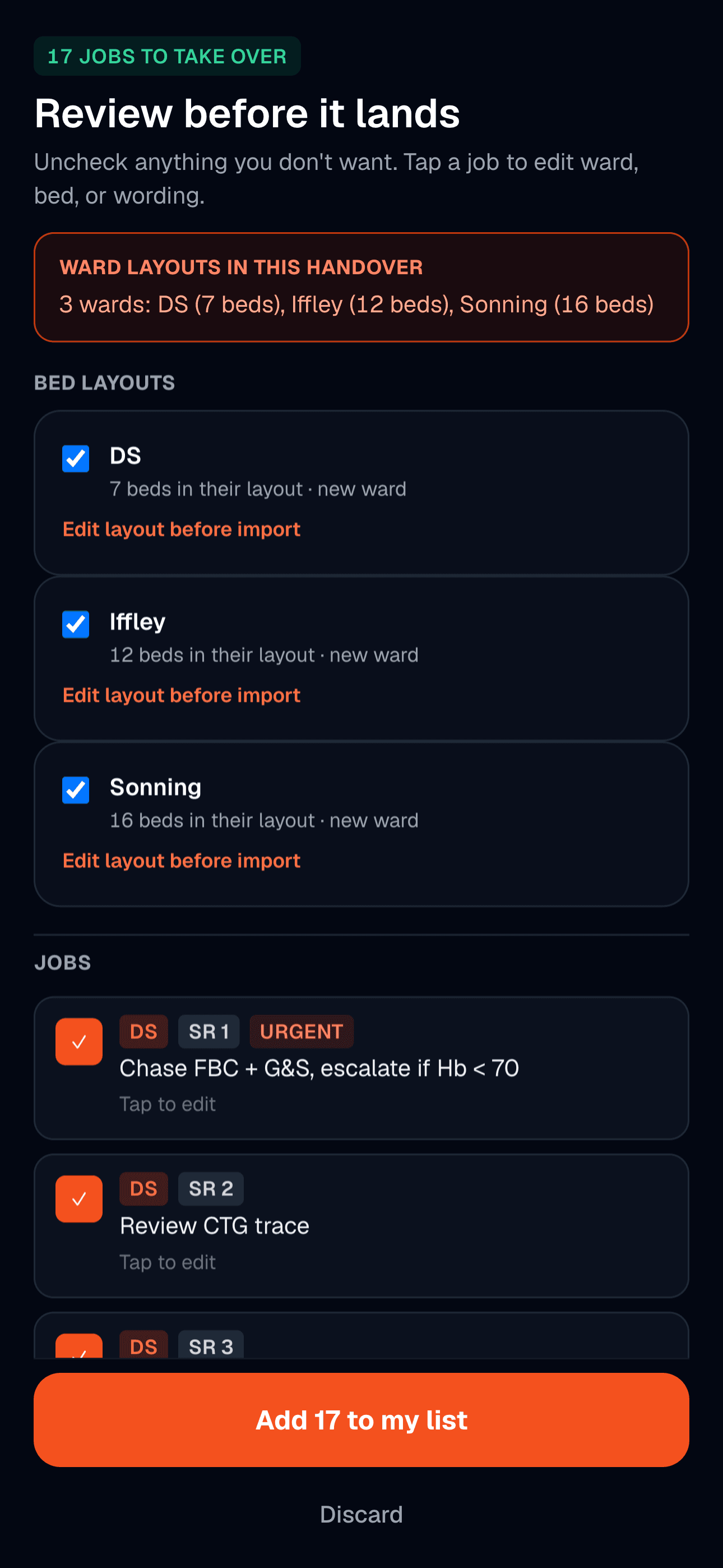
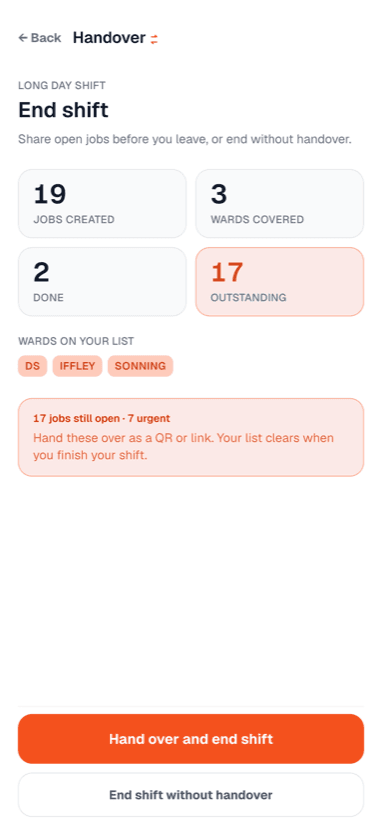
You add jobs as you go, tagged to a ward and bed, marked routine or urgent, with timestamps and optional reminders. You can walk the ward bed by bed or see everything on one flat list. Mid-shift or at the end, you pick which jobs to pass on, generate a QR code or link, and whoever's taking over scans it, reviews each job, and merges what they want. Ward layouts can travel with the handover too, so the next person inherits the same bay and bed map. Nothing gets retyped.
What I built
Everything a job list needs to survive a shift and cross a handover, running entirely on the phone in your pocket.
- Capture jobs by ward and bed in a couple of taps, marked routine or urgent, with clock and relative-age timestamps
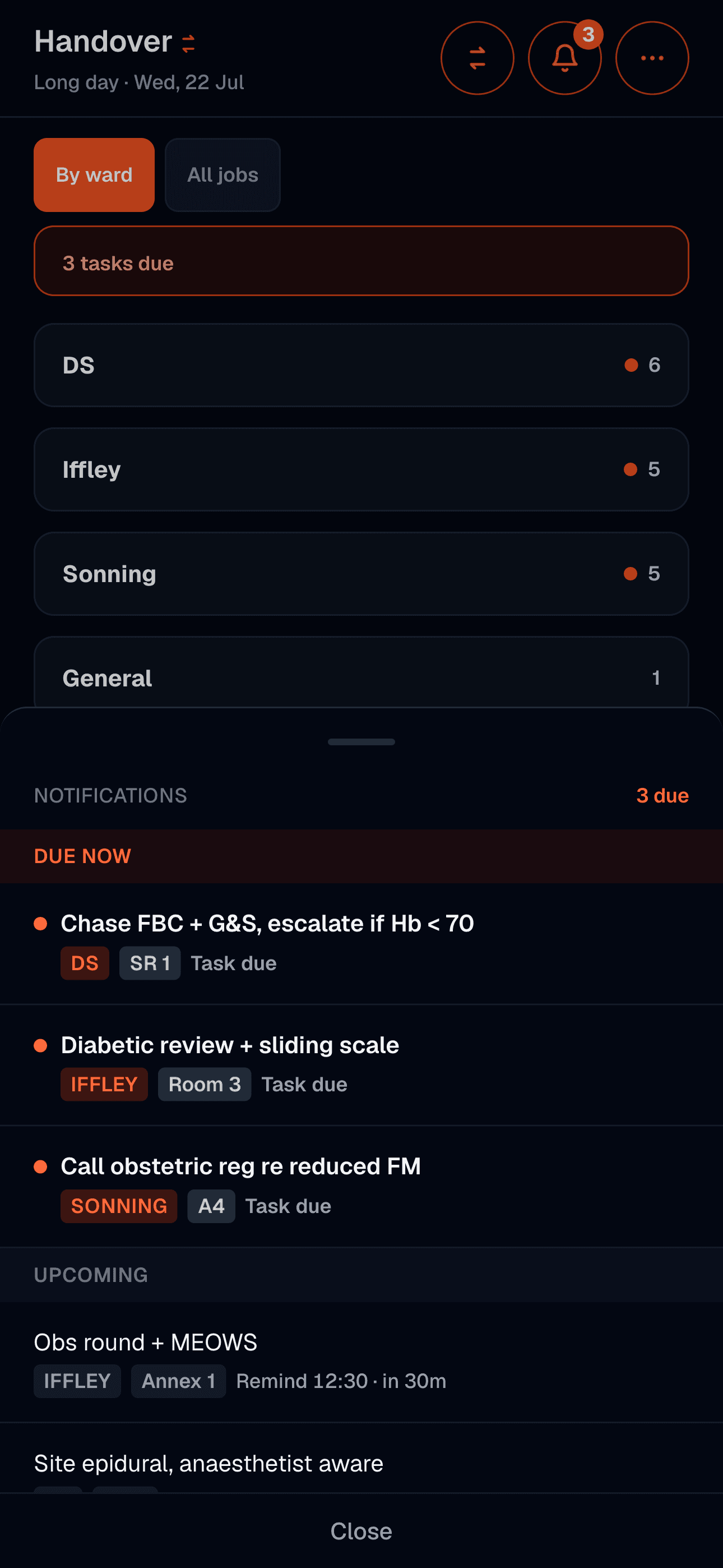
- Walk the ward bed by bed on a bed board, or view everything on one flat list
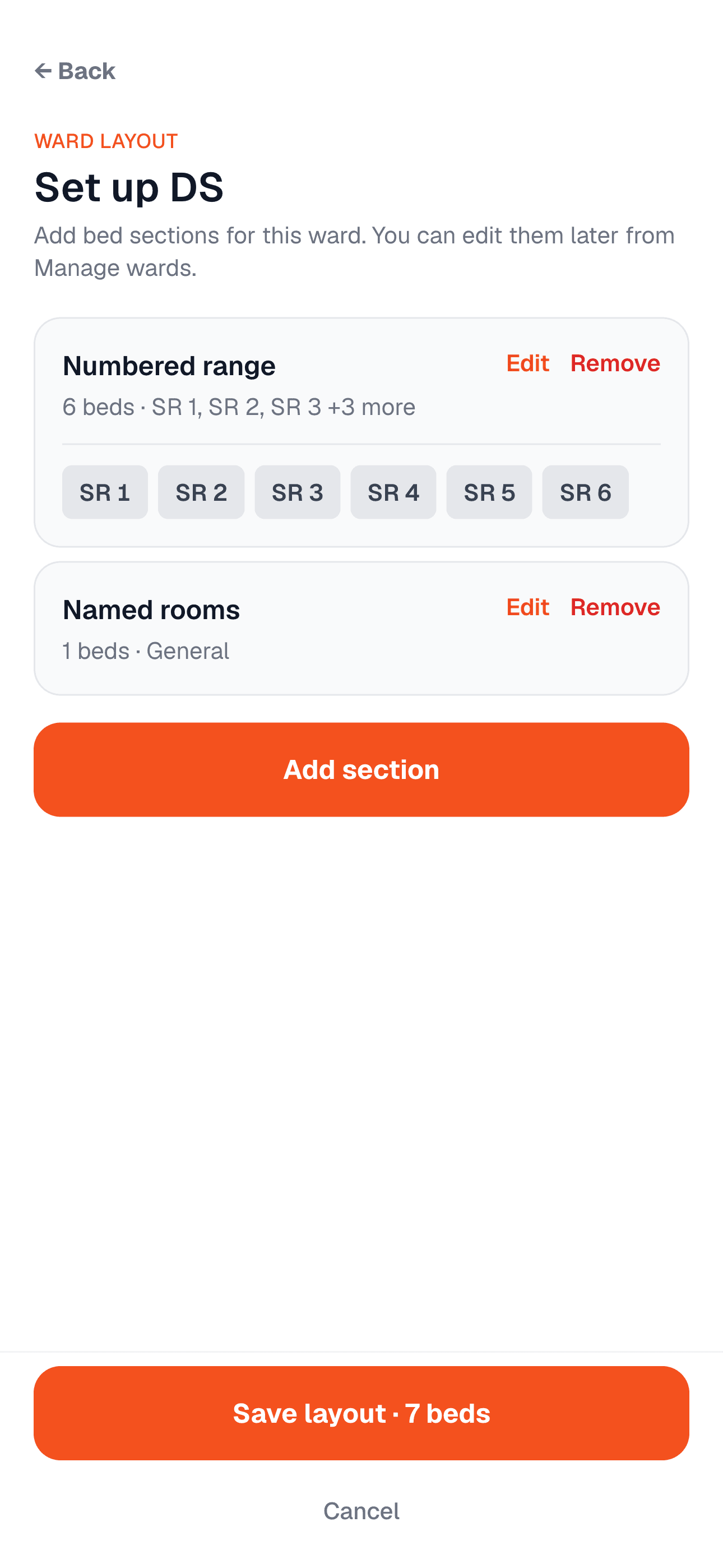
- Configurable ward layouts: bays and beds as letters or numbers, side rooms, collapsible sections
- Private bed notes that stay on your device, never go in the QR, and clear when you end the shift
- Reminders with a due banner and notification centre: +30m, +1h, +2h, or a custom time, plus native OS notifications on iOS
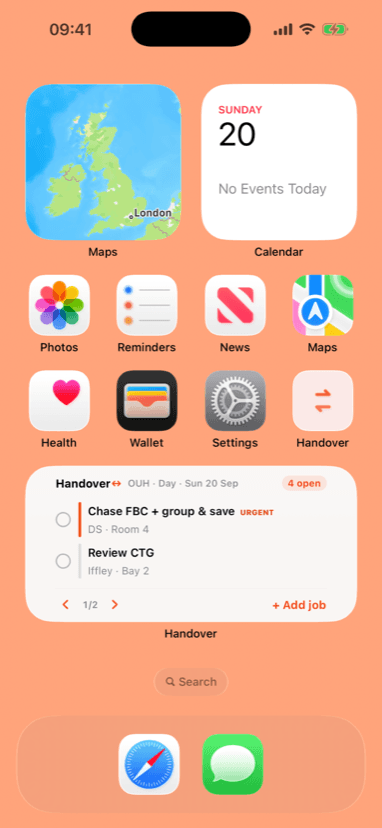
- A home screen widget showing your open jobs, urgency and bed at a glance, with its own all-clear and off-shift states and an add-job shortcut
- Hand over by QR or shareable link: choose jobs, filter by ward, optionally keep a copy, and pass ward layouts with the jobs
- Take over by scanning or pasting a link, with review, edit-before-merge, layout import, and bed remapping if layouts differ
- Share ward setup alone (layouts, no jobs) so a colleague can import your bay map without taking over a shift
- Mid-shift exchange sheet for hand over or take over without ending the shift
- Swipe to delete with undo, dark mode, fully offline, and installable as a PWA on anything that isn't an iPhone
On the App Store
Handover is free on the App Store, listed as Handover List. It's iPhone only for now, needs iOS 15 or later, and the whole download is 3.4 MB, which is roughly one photo. There is no paid tier, no subscription, and nothing to sign up for. You open it and start adding jobs.
Getting it through review meant being explicit about what it is: a task list and a decision-support aid, not a replacement for verbal handover or for your clinical responsibility. That framing is on the listing, and it's the right one. The app holds the list. You still hold the patient.
- Free, no account, no subscription, no in-app purchases
- iPhone, iOS 15 or later, 3.4 MB download
- Listed under Medical, rated 4+
- Apple's privacy label reads Data Not Collected, because none is
Why I built it
The ward job list is one of the most important documents in the hospital and one of the least designed. It lives on a folded sheet of paper that gets lost, rewritten from scratch at every handover, and can't remind you of anything. At the shift change it gets read out and copied down, which is exactly where jobs fall through.
I wanted the list to carry itself. Add a job once and have it follow to whoever's on next, without anyone retyping it at 8pm when everyone just wants to go home. The scan-to-hand-over was the whole point: the moment the list moves between people is the moment things get dropped, so I made that moment a single action.
Built privacy-first
There is no account, no cloud, no analytics, and no backend at all. The data lives on your device and never leaves it, except inside the handover code you choose to share. Apple asks every developer to declare what their app collects, and Handover's answer is the short one: Data Not Collected.
That constraint shaped the app. Handover payloads are not encrypted, so the app steers you toward non-identifying clinical shorthand and toward showing the QR in person rather than sending the link in chat. Bed notes, reminders, done state, and your profile never go on the wire. Privacy isn't a setting bolted on the side; it's the reason there's no server to begin with.
Stack
React 19, Vite, and Tailwind CSS, built as an installable PWA with offline service-worker caching. Capacitor wraps that same codebase into the native iOS app now on the App Store, with camera QR scanning and local notifications going through the real system APIs. One codebase, two ways to install it, no server behind either. There is no database. It is client-only by design.
Being backend-free is the feature, not a shortcut. It's what makes the privacy promise real, keeps the app fast and installable, and means it works in the parts of the hospital where the WiFi doesn't.
Using Handover on your ward?
It's free on the App Store and I'm still shaping version 1. If something doesn't fit how your ward actually works, tell me, that's the feedback I want.
Get in touch